Samagra Portal MP: Register | EKYC | Family ID in 2026
-
 By L. Sadriwala
- May 17, 2026
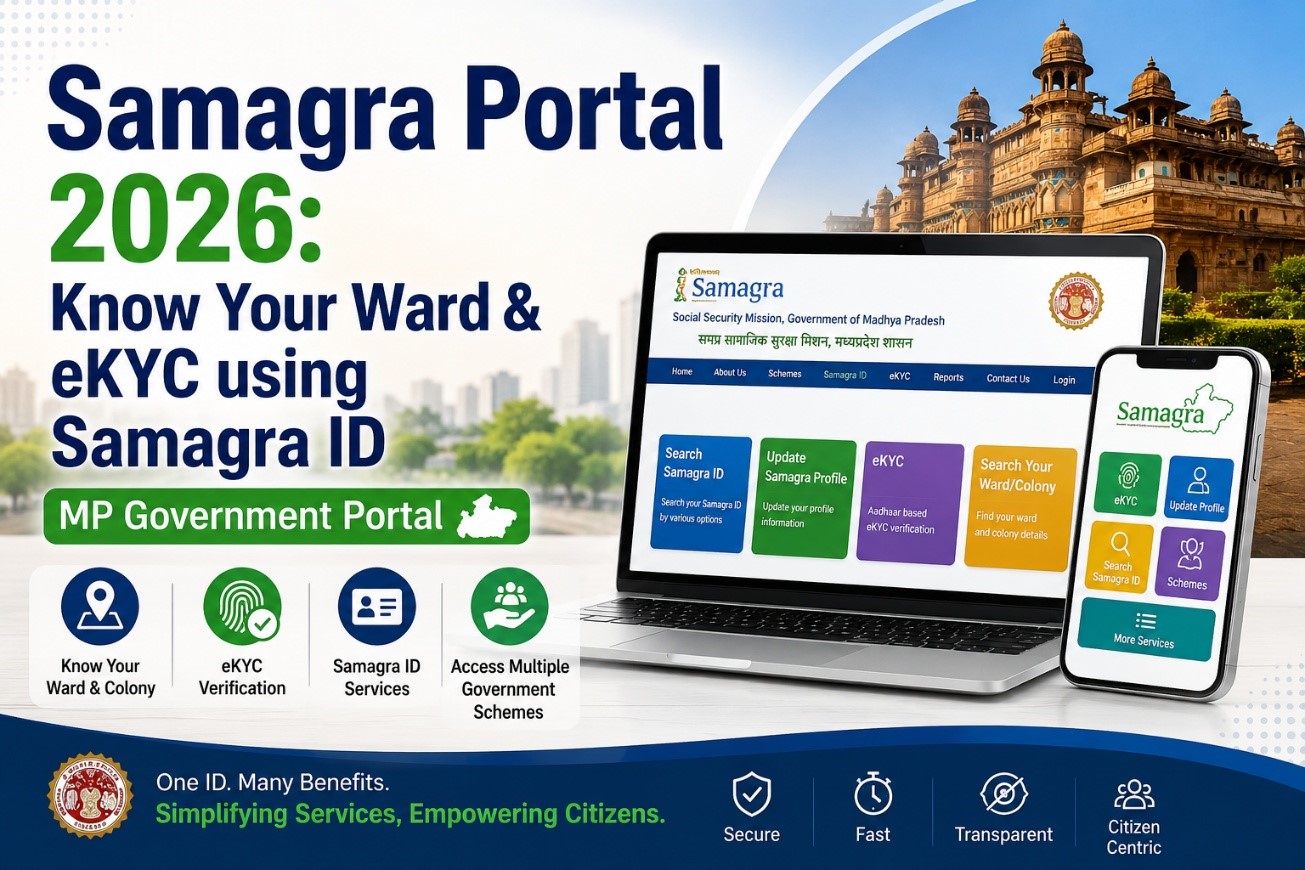
The Samagra Portal has transformed how citizens in Madhya Pradesh interact with government services. Designed as a unified digital ecosystem, it connects residents to welfare schemes, identity services, and essential public information, all in one place.
This detailed guide walks you through everything you need to know about the Samagra Portal in 2026, including ward lookup, eKYC, registration, benefits, and advanced integrations like land linking and auto-mutation.
Also Read:- MP Bhulekh Web GIS 2.0 Portal Launched: Now Get Land Records on WhatsApp from Home
What is the Samagra Portal?
The Samagra Portal is a centralized digital platform developed by the Madhya Pradesh government to streamline access to public services. It acts as a single access point for multiple schemes, reducing the need for citizens to visit different offices.
Key Objectives
- Deliver government benefits efficiently
- Maintain a unified citizen database
- Eliminate duplication and fraud
- Enable transparent governance
Through a single Samagra ID, individuals and families can access pensions, scholarships, ration schemes, healthcare programs, and more.
Also Read:- RTPs Bihar Portal: Application Status Check | Certificate Downloads | Caste Certification
Understanding Samagra ID (SSSMID)
The Samagra ID, also known as SSSMID (Samagra Social Security Mission ID), is a unique identification number assigned to residents.
Types of Samagra IDs
- Family ID: Represents an entire household
- Member ID: Assigned to individual family members
Why It Matters
- Acts as a digital identity for welfare schemes
- Links multiple services under one profile
- Reduces repetitive documentation
- Ensures benefits reach the right individuals
Also Read:- What Is the New Central RERA Portal and How to Use It?
How to Search Your Ward & Colony Using Samagra ID
Residents can easily locate their ward or colony details online through the portal.
Step-by-Step Process
- Visit the official Samagra Portal
- Select Urban Bodies – Search Colony/Ward
- Click on Go to Your Ward
- Enter district, local body, and colony details
- Fill in the captcha
- Click Search
The system will display your ward and locality details instantly.
Also Read:- Banglarbhumi Portal: Land records | Registration | Online Khatian
What is Samagra eKYC?
Samagra eKYC is an online verification process that links your Aadhaar with your Samagra ID.
Key Features
- Paperless identity verification
- OTP-based authentication
- Ensures accurate beneficiary data
- Mandatory for many schemes
Benefits of eKYC
- Faster service approvals
- Reduced fraud
- Real-time verification
How to Complete Samagra eKYC
- Visit the portal
- Go to Update Samagra Profile
- Select Aadhaar e-KYC
- Enter Samagra ID and personal details
- Upload required documents
- Verify via OTP
- Submit and wait for approval
Login Process on Samagra Portal
To access services, users must log in using their registered mobile number.
Steps
- Enter mobile number
- Input OTP received
- Fill captcha
- Access dashboard
This ensures secure and authenticated access.
Also Read:- Jankalyan Portal Sambal: Download | Login & Registration and KYC
Samagra Mobile Application
The portal also offers a mobile app for easier access.
Features
- Profile updates
- eKYC services
- Samagra ID management
- Department login
Users can download it via the QR code available on the portal homepage.
How to Register on the Samagra Portal
Registration Steps
- Visit the portal
- Choose Register Family/Member
- Fill required details
- Submit application
Once verified, your Samagra ID is generated.
How to Find Your Samagra ID
You can retrieve your ID using:
- Name
- Mobile number
- Family details
Simply go to the Search Samagra ID section and enter the required information.
Also Read:- khajane 2 Portal Login:- Registration | Challan Generation | Download
Checking Registered Families & Members
To view registered data:
- Visit the portal
- Select Find Family/Members
- Enter details
- Click Show Records
Linking Land with Samagra ID
One of the most important features in 2026 is land integration.
Steps to Link Land
- Login to portal
- Choose Link Land to Samagra ID
- Enter property details (district, tehsil, survey number)
- Verify via OTP and Aadhaar
- Submit request
Samagra ID Integration with Auto-Mutation
The integration with digital land systems has revolutionized property ownership.
How It Works
- Property sale is registered digitally
- Data is automatically transferred
- Ownership mutation happens without manual application
Benefits
- No need to visit government offices
- Faster processing (15–17 days)
- Reduced fraud
- Real-time SMS updates
Also Read:- Webland AP Gov In Login: Step-by-Step Guide to Access Your Land Records in Andhra Pradesh
How to Update Your Samagra Profile
- Log in to the portal
- Select Update Profile
- Modify details
- Save changes
Documents Required for Corrections
- Aadhaar Card
- PAN Card
- Ration Card
- Passport
- Address Proof
- 10th Marksheet
- Disability Certificate (if applicable)
Aadhaar De-Linking Process
If Aadhaar is wrongly linked:
- Choose Request Aadhaar De-Link
- Select the appropriate option
- Enter details
- Verify with OTP
Also Read:- Banglarbhumi Portal: Land records | Registration | Online Khatian
Benefits of Samagra Portal
For Citizens
- Easy access to schemes
- Time-saving
- Transparency
- Online updates
For Government
- Better data management
- Reduced duplication
- Improved planning
- Efficient service delivery
Welfare Schemes Accessible via Samagra ID
- Food security programs
- Pension schemes
- Scholarships
- Insurance plans
- Women welfare schemes
- Disability assistance
- Employment programs
Impact on Governance and Society
The Samagra Portal has improved:
- Service delivery efficiency
- Data accuracy
- Citizen satisfaction
- Transparency in welfare distribution
Contact Details
- Address: MPSEDC State IT Center, Bhopal
- Phone: 0755-2700800
Key Takeaways
- Samagra Portal is a unified platform for MP government services
- Samagra ID is essential for accessing welfare schemes
- eKYC ensures quick and secure verification
- Land linking enables automatic property mutation
- The system improves transparency and reduces manual work
Conclusion
The Samagra Portal represents a major leap in digital governance, making public services more accessible, efficient, and transparent. Whether it’s verifying your identity, accessing welfare schemes, or managing land records, the platform simplifies everything.
If you’re exploring property opportunities or want to stay updated with real estate developments in Madhya Pradesh, Housiey is your trusted partner. From insights to property solutions, Housiey helps you make smarter decisions in a rapidly evolving market.
FAQs
- It is a digital platform by the Madhya Pradesh government for accessing public services. It connects citizens to multiple welfare schemes through a single system.
- It is a unique identification number assigned to families and individuals. It helps in accessing government benefits easily.
- No, it is not compulsory. However, it simplifies access to government schemes.
- You can search it on the portal using your name or mobile number. The system will display your ID instantly.
- eKYC is an online identity verification process. It links your Aadhaar with your Samagra ID.
- Yes, Aadhaar is essential for completing eKYC. It ensures accurate identity verification.
- Yes, you can update personal information through the portal. Changes are reflected after verification.
- Visit the portal and choose registration. Fill in details and submit the form.
- Services include pensions, scholarships, ration schemes, and more. It acts as a one-stop solution.
- Yes, land details can be linked online. This enables seamless property record management.
- It is an automatic transfer of land ownership records. It happens digitally after property registration.
- It usually takes around 15–17 days. The process is faster than traditional methods.
- Yes, a mobile application is available. It provides easy access to services.
- Use your registered mobile number and OTP. Enter captcha to access your account.
- Documents like Aadhaar, PAN, and address proof are required. These help verify your details.
- Yes, you can request de-linking online. OTP verification is required.
- Yes, it uses OTP-based authentication. This ensures user data safety.
- Any resident of Madhya Pradesh can use it. It is designed for all citizens.
- It simplifies access to schemes and reduces paperwork. It also ensures transparency.
- It improves data accuracy and service delivery. It also reduces fraud and duplication.
L. Sadriwala, the Editor-in-Chief at Housiey, is a seasoned writer whose professional journey in content creation began in 2015. With a background rooted in a family of real estate developers, her transition into real estate writing was a natural evolution, bringing together her storytelling expertise and deep industry understanding.
Over the years, she has authored impactful blogs across diverse niches such as food, travel, and lifestyle, before establishing her reputation as a trusted voice in Indian real estate. Today, her work stands out for its clarity, accuracy, and ability to simplify complex property concepts for readers.
At Housiey, every article crafted by L. Sadriwala reflects thorough research, verified facts, and a reader-first approach. From decoding housing policies and trends to offering in-depth builder reviews and project insights, her mission is clear: to empower homebuyers and investors with the knowledge they need to make confident property decisions.
Her writing not only informs but also builds trust, making her one of the most credible editorial voices in the real estate space.
Related Stories