
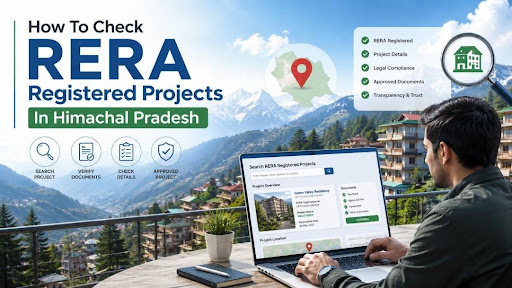
How To Check RERA Registered Projects In Himachal Pradesh?
-
By Ayush Oswal
- July 28, 2026
Introduction
Buying property in Himachal Pradesh can be very different from buying in a large metropolitan city. Projects are spread across hill towns, tourism destinations, industrial areas and smaller residential markets, which makes checking the legal and regulatory status of a project especially important.
One of the first checks a buyer should make is whether the project is registered with the Himachal Pradesh Real Estate Regulatory Authority, commonly referred to as HP RERA or HPRERA.
The HP RERA portal allows buyers to search registered projects and look at information submitted by the promoter. Depending on the project, this can include its registration details, location, promoter information, approvals, proposed completion period, inventory and project progress.
Checking the project on the official portal takes only a few minutes, but it can tell you much more than simply whether a RERA number exists.
Also Read: 5 Rights RERA Gives You That Your Builder Hopes You Never Find Out
Quick Answer
To check a RERA registered project in Himachal Pradesh, visit the official HP RERA portal and open the Search Projects or project dashboard section. You can search using the project name and narrow the results by district, project type, project status and project area before opening the individual project record for detailed verification.
HP RERA Project Search Snapshot
| Particular | Details |
| Regulatory Authority | Himachal Pradesh Real Estate Regulatory Authority |
| Official Project Search | HP RERA Project/Public Dashboard |
| Search by District | Available |
| Search by Project Type | Available |
| Search by Project Status | Available |
| Search by Project Area | Available |
| Search by Project Name/Text | Available |
| Project Categories | Residential, Commercial and Mixed Use |
| Project Status Options | New Project Launch, Ongoing Project and Completed Project |
| Quarterly Progress Information | Available for applicable registered projects |
The official portal currently provides filters covering all Himachal Pradesh districts and several types of plotted as well as construction projects.
Also Read: How to File a RERA Complaint and Win Against Your Builder Step by Step
What Is HP RERA?
HP RERA is the Real Estate Regulatory Authority established for regulation of the real estate sector in Himachal Pradesh under the Real Estate (Regulation and Development) Act, 2016.
The purpose of RERA is to improve transparency in property transactions, make project information accessible to buyers and create a regulatory framework for promoters and real estate agents.
Under Section 3 of the RERA Act, a promoter cannot advertise, market, book or sell units in a project that is required to be registered until registration with the appropriate RERA authority has been completed.
Which Projects Need RERA Registration in Himachal Pradesh?
According to the official HP RERA guidance, projects in Planning and Special Areas where the proposed land area exceeds 500 sq. metres or the number of apartments exceeds eight are required to be registered.
The HP RERA FAQ also refers to a plot-area threshold of more than 2,500 sq. metres for Deemed Planning Areas, inclusive of all phases.
Registration requirements can depend on the type and location of development. Buyers should therefore avoid assuming that a project is exempt merely because it is small or located outside a major Himachal Pradesh city.
Also Read: RERA vs Non-RERA Projects: Which One Should You Buy and Why?
How To Check RERA Registered Projects In Himachal Pradesh?
The process is fairly straightforward.
Step 1: Open the Official HP RERA Portal

Visit the official website of the Himachal Pradesh Real Estate Regulatory Authority.
On the website, look for Search Projects, Project/Agent Dashboard or the public project search facility.
Step 2: Open the Project Search
- The portal provides a dedicated search system for registered real estate projects.
- You do not normally need to create an account simply to search publicly available project information.
Step 3: Select the District
- Choose the district where the property is located.
- The portal provides district-based searching for Bilaspur, Chamba, Hamirpur, Kangra, Kinnaur, Kullu, Lahaul Spiti, Mandi, Shimla, Sirmaur, Solan and Una.
Step 4: Select the Project Type
- The search can be narrowed according to the nature of the development.
- Options include plotted residential development, plotted commercial development, mixed-use plotted projects, residential construction, commercial construction and mixed-use development.
- This is particularly useful where two projects have similar names.
Step 5: Select the Project Status
HP RERA allows users to filter projects by status.
Available categories are:
- New Project Launch
- Ongoing Project
- Completed Project
Step 6: Type the Project Name
- Type in a part of the project name in the search box.
- Try to search it with the main identifying words if the complete project name does not immediately produce a result.
Step 7: Apply the Filters
- Once the relevant filters have been entered, apply the search.
- Check whether the project’s name, promoter and registration information correspond with the property being offered to you.
Step 8: Open the Project Details
- Do not stop after finding the project name.
- Open the individual project record and examine the information submitted to the Authority.
- A project record on HP RERA can display information such as project type, project status, completion period, project description, planning authority, sanction details, Khasra information, land area and estimated development cost. at Details Should Buyers Check On HP RERA?
- Finding a project in the database is only the first step.
- The information on the project page should be compared with what the builder, developer or salesperson has told you.
RERA Registration Number
Check the registration number shown against the project and compare it with the number printed on advertisements, brochures, booking forms or other marketing material.
Older and newer HP RERA registrations may not necessarily follow an identical-looking number format, so the safest approach is to verify the number directly against the official project database rather than judging it only by appearance. The HP RERA dashboard itself shows multiple registration-number formats among registered projects. of the Promoter
The promoter shown on HP RERA should correspond with the legal entity selling or developing the project.
If you are dealing with a different company, salesperson or marketing organisation, understand its relationship with the registered promoter before paying money.
Project Location
Check the district, village, tehsil, Khasra numbers and other available land information.
This becomes particularly important in Himachal Pradesh because projects may be marketed using the name of a popular destination even when the actual land falls in another village or local jurisdiction.
Planning and Sanction Details
Look at the planning or approving authority and available sanction information.
The information should broadly correspond with the approvals and plans shown to you by the promoter.
Project Completion Period
Check the declared completion timeline.
A project being advertised as almost ready should not have regulatory disclosures that suggest a substantially different stage of construction.
Inventory Details
The HP RERA QPR dashboard provides information about total units, units sold or booked and remaining inventory for projects that have reported such data. provide another reference point when comparing availability claimed by the seller.
Check Quarterly Progress Reports
One of the more useful parts of RERA verification is the ability to look beyond the original registration.
Registered promoters are required to provide project information and periodic updates, including information relating to bookings, construction progress, photographs and approvals. HP RERA’s own guidance describes quarterly updates as part of the information that promoters need to make available. yer, these updates can help show whether construction appears to be moving broadly in line with the disclosed schedule.
Check the Promoter’s Previous Projects
A RERA search should also be used to understand the promoter, not just the property.
HP RERA advises buyers to assess the background of the promoter and details of projects developed by the promoter before investing. Registered project disclosures may contain promoter information and details relating to earlier projects. per with several completed projects presents a different risk profile from a promoter working on its first development.
That does not automatically make one project safe or another risky, but it gives the buyer more context.
Check Project Grading and Regulatory Information
The HP RERA website also contains a Projects Grading section.
The Authority has published grading information linked with quarterly progress reporting of registered projects. an use this information together with project disclosures instead of relying only on advertisements or sales presentations.
What If You Cannot Find the Project?
A project not appearing in search results does not automatically prove that it is illegal.
First check the spelling of the project, promoter name and location. You can also search using fewer words or different district filters.
It is also possible that a project does not fall within the applicable registration requirement.
However, when the project is legally required to be registered and the promoter is already advertising or accepting bookings, absence of registration should be treated seriously. Section 3 of the RERA Act restricts advertising, marketing, booking and sale of projects requiring registration until RERA registration has been obtained. promoter to explain the exemption or provide the registration details before proceeding.
Is RERA Registration Enough To Buy a Property?
No.
RERA registration is an important regulatory check, but it should not be treated as a complete property title verification.
A buyer should still examine title documents, approvals, encumbrances, sanctioned plans, agreement terms, payment schedule, possession conditions and other documents relevant to the particular transaction.
Think of the RERA portal as an important starting point for due diligence rather than a replacement for legal verification.
Compare the RERA Record With the Builder’s Advertisement
- Before booking, keep the project brochure or advertisement beside the RERA project record.
- Compare the project name, phase, promoter, location, amenities, development plans and expected completion.
- Differences should be clarified in writing.
- Section 12 of the RERA Act also deals with the promoter’s obligations regarding the truthfulness of information provided through advertisements and prospectuses. heck the Project Phase Carefully
- Large developments may be constructed and registered in different phases.
- A RERA number belonging to one phase should not automatically be assumed to cover every future tower, plot or extension marketed under the same overall project name.
- Check whether the exact unit you intend to purchase falls within the registered phase shown on the HP RERA portal.
Do Not Pay a Large Booking Amount Without Checking Documents
RERA also places limits on how much a promoter can collect before entering into an agreement for sale.
Section 13 provides that a promoter cannot accept more than 10% of the cost of the apartment, plot or building as an advance or application fee without first entering into a written agreement for sale and registering that agreement as required by law. HP RERA also highlights this requirement in its buyer guidance. another reason buyers should verify the project before making substantial payments.
Why Choose Housiey?
Buying a property should involve more than comparing price, floor plan and amenities. Housiey helps buyers evaluate projects with a more structured approach by looking at developer credentials, project documentation, pricing, location fundamentals and other factors that can affect the actual purchase decision.
The idea is simple: buyers should have enough information to question, compare and verify a property before committing a significant amount of money.
Conclusion
Checking whether a property is registered with Himachal Pradesh RERA is one of the simplest due-diligence steps a homebuyer can take.
Start with the project search on the official HP RERA portal and locate the exact development. After that, check the registration number, promoter, location, project status, planning information, completion timeline and available progress disclosures.
Most importantly, do not treat the appearance of a RERA number in an advertisement as verification by itself.
Search the project independently on the official portal and make sure the registration belongs to the same project and phase in which you are planning to purchase.
Key Takeaways
- The official HP RERA portal allows buyers to search registered projects by district, project type, status, area and project name.
- Once a project is found, buyers should verify the registration details, promoter, location, approvals, completion schedule and project-specific disclosures instead of merely confirming that a RERA number exists.
- Quarterly progress information can also provide useful context about inventory and construction progress.
- A registered project should still undergo independent legal and financial due diligence before purchase because RERA registration alone does not replace title, approval and agreement verification.
Sources
- Real Estate Regulatory Authority, Himachal Pradesh: Official HP RERA portal, Public Project Dashboard, Project Search, QPR Dashboard, Projects Grading section, project registration guidance and official FAQs.
- India Code, Government of India: Real Estate (Regulation and Development) Act, 2016, including provisions relating to project registration, promoter obligations, advertising and agreements for sale.
- Town and Country Planning Department, Government of Himachal Pradesh: Himachal Pradesh Real Estate (Regulation and Development) Rules, 2017.
FAQs
Visit the official HP RERA portal and use the Search Projects or Project Dashboard facility. Enter the project name or use filters such as district, status and project type to locate it.
Public project information can be accessed through the HP RERA project search facility. Buyers generally do not need a promoter account simply to search registered projects.
Yes, the HP RERA portal provides a search-text option for finding registered projects. Using the most distinctive part of the project name can make the search easier.
Yes, the project search provides district filters for Himachal Pradesh. This is useful when projects with similar names are located in different parts of the state.
Yes, the portal allows projects to be filtered according to project status. The available status categories include new launches, ongoing projects and completed projects.
Check the promoter, registration details, location, project status, completion period and available approval information. Compare these details with the information given to you by the seller or developer.
No, registration requirements depend on the nature, size and location of the project and applicable exemptions. HP RERA provides specific registration thresholds for projects in Planning, Special and Deemed Planning Areas.
A promoter cannot advertise or market a project that is required to be registered before obtaining RERA registration. This restriction is provided under Section 3 of the RERA Act.
Registered project disclosures contain information relating to the promoter. Buyers can use this information to understand the legal entity behind the development.
Quarterly project information can provide updates relating to project progress and inventory. Buyers should compare these disclosures with the actual condition of the site.
The HP RERA QPR dashboard contains inventory-related information for projects reporting through the system. It may show total units, sold or booked units and remaining units.
Check the project spelling, promoter name, district and search filters before drawing a conclusion. You should then ask the promoter for the registration number or the reason why the project is exempt from registration.
RERA registration is an important regulatory check but does not guarantee that every aspect of a property transaction is risk-free. Buyers should still carry out title, approval, agreement and financial due diligence.
Different phases of a large development may require separate registration depending on how the project is structured. Buyers should verify that their specific tower, plot or phase is covered by the registration they are shown.
Registered project information can include details relating to approvals and the approving authority. Buyers should compare these details with the documents supplied by the promoter.
Yes, the RERA framework also covers applicable ongoing projects that had not obtained completion certificates when the registration provisions became applicable. HP RERA separately recognises ongoing projects in its project search and guidance.
Section 13 restricts a promoter from taking more than 10% of the property cost without first entering into the prescribed agreement for sale. Buyers should therefore be cautious about demands for substantial advance payments without proper documentation.
Yes, the HP RERA website has a Projects Grading section connected with reporting by registered projects. Buyers can use this as one additional source of information while evaluating a development.
Yes, always search the number or project independently on the official HP RERA portal. A RERA number printed in marketing material should not be accepted without checking that it belongs to the same project and phase.
No, RERA verification should form one part of the overall property due-diligence process. Title, ownership, approvals, encumbrances, agreement clauses and payment terms should also be properly checked.

Ayush Oswal is an SEO Executive at Housiey, specializing in optimizing real estate content for better visibility and engagement. With a strong understanding of SEO strategies and the property market, he ensures that every blog helps homebuyers make informed decisions while performing well on search engines.
Related Stories